
Exception Handling in Business Automation: Designing Pause-and-Notify Paths
Designing for the happy path leaves your automation brittle. Here is how to build pause-and-notify exception paths that make failures visible and recoverable.
Most automation diagrams show a straight line from trigger to completion. This is the happy path. It assumes data arrives clean, services stay online, and humans respond instantly. In production, this rarely holds true. When a workflow meets resistance, it needs a defined response. Exception handling in business automation becomes critical here. Without it, processes stall silently or produce incorrect outcomes. Teams spend hours chasing ghosts instead of fixing the root cause.
The goal is not to prevent all errors. That is impossible. The goal is to design systems that fail safely and recover quickly.
If errors live in hidden logs, you do not have reliability. You have luck. A calmer approach is to treat exceptions like any operational object. They need a status, a timestamp, and a link to the work they control. When you design for failure, you acknowledge that uncertainty is normal. You build controls that allow humans to intervene without breaking the flow. This shifts the focus from preventing errors to managing them effectively.
What are the most common exception types in business automation?
In production, exceptions cluster around four distinct categories. Each requires a different response mechanism. Understanding these categories helps you build specific guards rather than generic retries.
Invalid input occurs when data arrives missing required fields or in the wrong format. A webhook payload might lack an email address. A date field might contain text. The system cannot proceed without valid data. Pushing bad data downstream corrupts your CRM and reporting. This is often a form design issue rather than a system failure.
External service failure happens when third-party APIs return errors or time out. Your CRM might be down. An email service might reject a batch. This is often transient. Retrying immediately might work, but retrying too often causes rate limiting. You need to distinguish between a server error and a rate limit. Each requires a different response.
Approval timeout occurs when a human needs to sign off but does not respond. The workflow sits in limbo. This blocks downstream actions. Without a clock, this wait becomes infinite. This is common in finance or legal workflows where sign-off is mandatory. It often happens when the approver is on leave without a delegate.
Manual conflict arises when someone edits a record while the automation is running. The system might overwrite changes or fail to sync. This is common when ops teams manually intervene during a run. It requires version checks or locking mechanisms.
Each type signals a different gap in your process. Mapping these helps you assign ownership: you know who to contact when a specific error spikes.
The pause-and-notify pattern
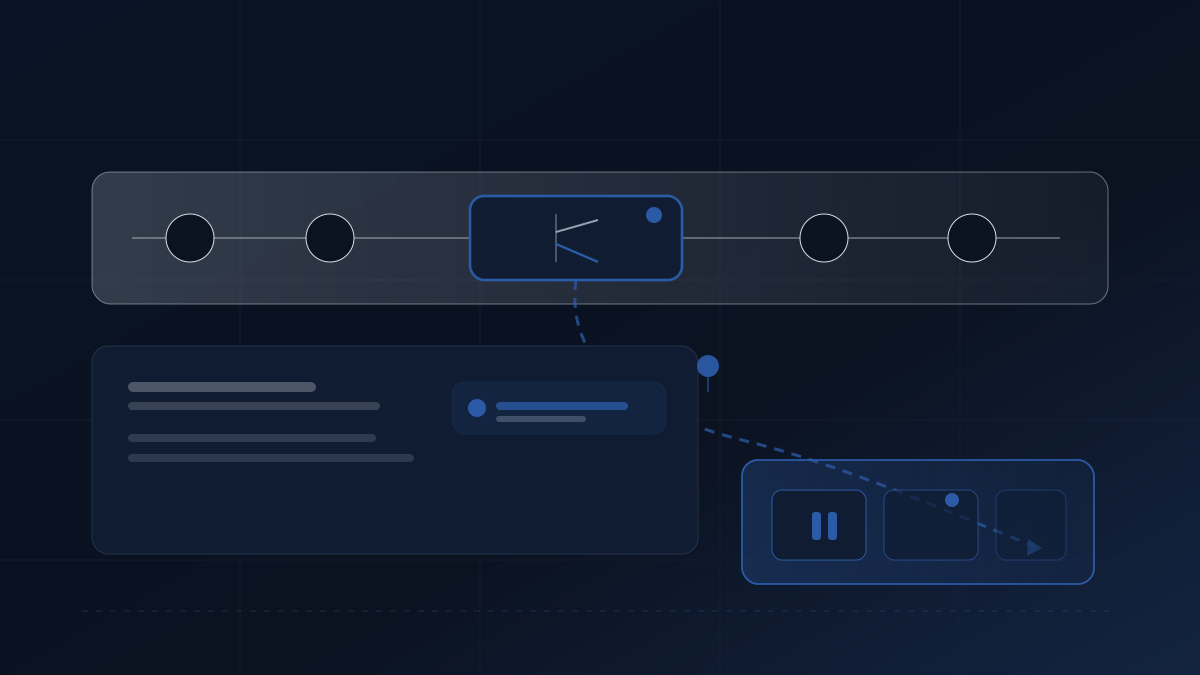
The pause-and-notify pattern is a standard approach for managing these failures. It prioritises visibility over speed. When an exception occurs, the system does not retry immediately. It stops. This typically prevents error cascades where one failure triggers ten more. It gives the operator time to assess the situation.
First, validate early. Check data at the entry point. Reject bad payloads before they enter the queue. It is cheaper to fail at the door than in the database.
Second, pause the workflow. Change the status to “Paused” or “Action Required”. This prevents the process from consuming resources while broken. It flags the item for human review.
Third, update the source of truth. Write the error state to your Notion database or CRM field. This ensures that the system state matches reality.
Fourth, notify the owner directly. Send a specific alert to the person responsible, via Slack or email. Include the error context, what is blocked, a link to the record, and a run ID for traceability. Generic alerts get ignored. Specific ones get actioned. Ensure alerts include run ID, failing step, and next action in the alert, aligning with resilient design principles.
Finally, retry or escalate. Once the issue is fixed, the system can resume. If it fails again, escalate to a senior operator. Apply exponential backoff with jitter for transient errors. Limit automatic retries to a maximum of three attempts before pausing. This aligns with a dead-letter queue pattern for failed items, reducing risk through structured automation.
This pattern ensures that nothing is auto-sent without approval. Every run writes evidence so issues can be traced later.
Real-world example: handling an invalid input exception
Consider a lead intake workflow. A form submits data to your automation platform. Sales teams rely on this data for follow-up.
A webhook trigger submits a payload. The email field is missing. Instead of crashing, the system catches the exception.
The response:
- The workflow status updates to “Input Error”
- A row is created in a “Failed Processes” log
- A Slack message goes to the Ops channel: “Lead intake paused. Missing email on record #1234.”
- The workflow waits for manual intervention
An operator reviews the log. They find the source form had a validation gap. They fix the form and manually resume the workflow for that specific record. The lead does not vanish. The data does not corrupt the CRM. The gap is visible, traceable, and fixed.
Before this approach, the lead would simply not appear. Sales would wonder why follow-ups had stopped. Now the system tells the truth about what happened. This typically reduces the cognitive load on the team. They know exactly where the work is stuck.
Trade-offs and constraints
Designing for failure adds complexity. You must balance safety with speed. If you pause for every minor error, operations slow down and alert fatigue sets in. Operators start ignoring notifications. You need to tune the sensitivity of your alerts carefully.
If you retry automatically without limits, you might overwhelm external services. This can lead to IP bans or rate limiting. Exponential backoff strategies manage this risk. Blind retries are rarely the answer.
There is also the cost of maintenance. Every exception path needs an owner. If no one owns the “Action Required” queue, items pile up. Stale items become technical debt. A human must decide when to override a validation rule. Sometimes business context outweighs data strictness. A missing phone number might be acceptable for a specific campaign.
Approval timeout handling requires a specific escalation path. Without defined rules, teams argue over ownership. Implement escalation after a set period (24 hours is a common starting point) to notify a deputy or manager. This prevents bottlenecks without adding bureaucracy.
Another constraint is tooling limits. Some platforms do not support complex state management. You might need an external database to track status. This adds latency. You must decide if the reliability gain justifies the architectural cost. You need to classify errors as transient versus permanent to decide retry logic correctly.
Measuring exception rate as a health signal
Most teams track success rates and look for 100% completion. This is misleading. A zero exception rate often means errors are being swallowed. The system fails silently. You need to see the failures to fix them. Hidden errors accumulate until they cause a major incident.
Track how many workflows hit the “Action Required” status per week. A stable, low exception rate is healthy. It means the system is catching issues and presenting them for review. A spike indicates a change in upstream data or service stability.
Why are silent failures worse than failed runs? A failed run is visible. You can fix it. A silent failure corrupts data without warning. You might not discover it until a client complains.
Use this metric to tune your validation rules. If the rate is too high, your intake forms are likely too loose. If it is too low, your error catching might be too aggressive. Once you can see the oldest pending item and the average time to decision, exceptions stop being emotional and become operational. You do not need speed first. You need a system that tells the truth.
If lead follow-up needs a clearer exception path, start a fit enquiry and describe the current process.